
Your Water Bill, Anytime. Anywhere.
The OPRRA Water Billing Portal provides subscribers with convenient access to their water billing information across any device - including web browsers and mobile devices.
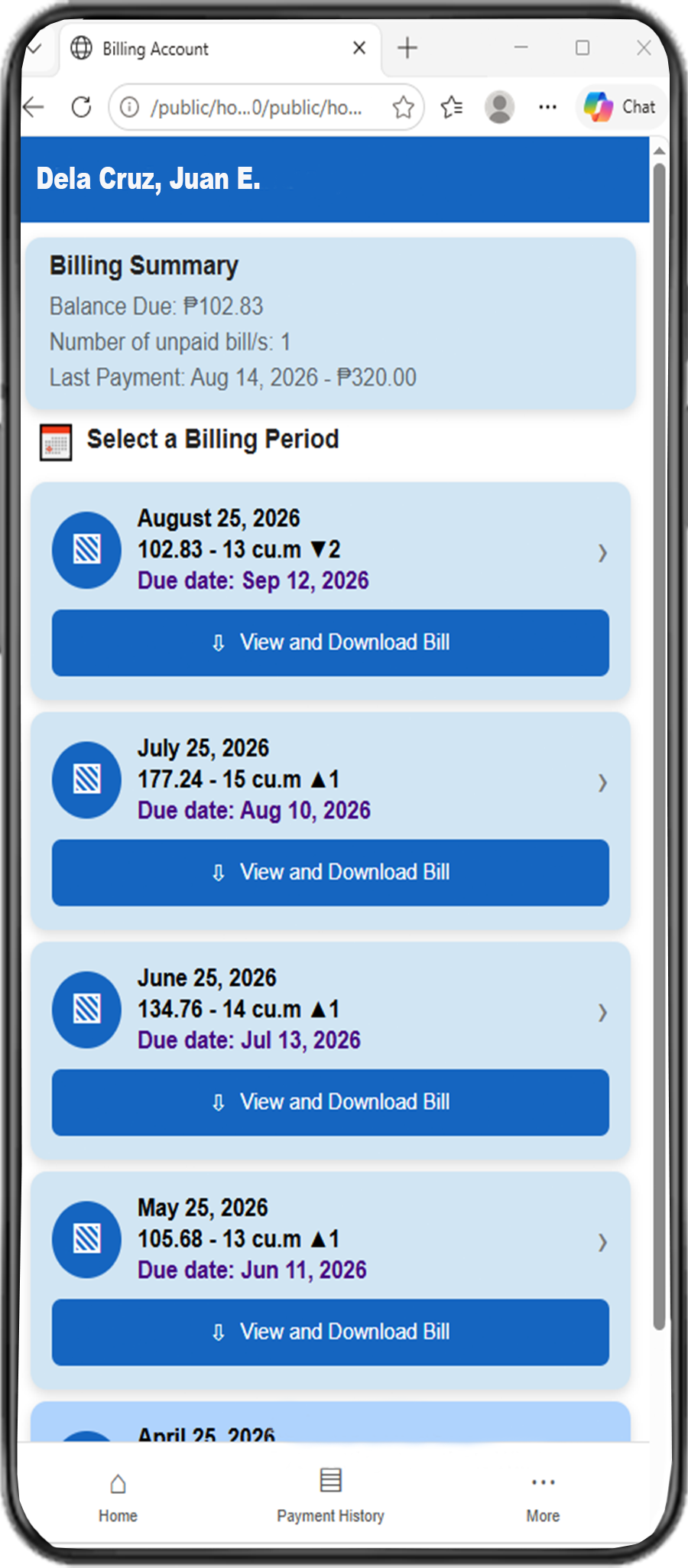
A More Convenient Way to View Your Water Bill
The OPRRA Water Billing Portal is a web application designed to provide subscribers with convenient access to their billing information without relying solely on printed bills.
Paperless Billing
View your billing information digitally and help reduce unnecessary paper consumption.
Web Access
Conveniently access your water billing records anytime on your phone, computer, or any connected device.
Account Security
Your account is protected using secure account authentication and email verification.
What You Can Do
The portal provides essential tools for accessing your OPRRA water billing information.
View Billing Records
View available billing statements associated with your registered water account.
Water Consumption
Check the water consumption recorded for your billing periods.
Payment History
Review available payment history associated with your billing account.
Announcements
Receive important announcements and information from OPRRA.
Secure Login
Use your registered email address and password to access your account.
Email Verification
Verify your email address during account registration.
How to Use the App
Follow these simple steps to start viewing your water billing information.
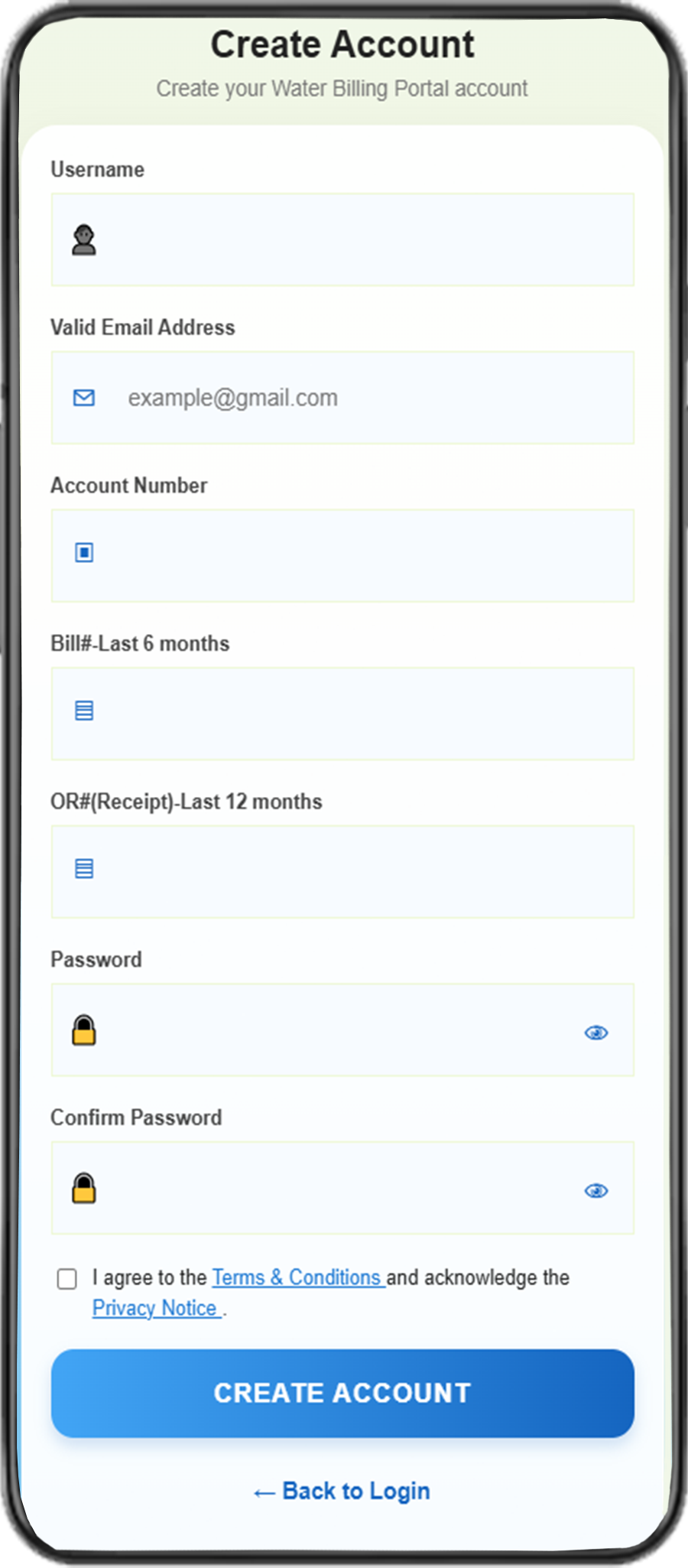
Create an Account
Open the application and select Create Account. Follow the steps below to register your OPRRA billing account:
- Enter a Username of your choice.
- Enter a valid Email Address. Make sure you have access to this email address for account verification.
- Enter your Account Number associated with your OPRRA billing account.
- Enter a Bill # (Last 6 Months) from any of your recent OPRRA water bills issued within the last six months.
- Enter your OR (Receipt) number (Last 12 Months) from an official OPRRA receipt issued within the last twelve months. Do not include the leading zero (0) when entering the OR (Receipt) number.
- Enter a Password for your account.
- Re-enter your password in Confirm Password.
- Read the Terms and Conditions, then check I Agree to the Terms and Conditions.
- Review the information entered, then select Create Account.
Install the App or Create a Shortcut
Once your account has been successfully registered, you may install the OPRRA Water Billing Portal on your device or create a shortcut for easier access.
- Android (Google Chrome): Select the Install option if prompted, or open the browser menu (three dots) and select Install app or Add to Home screen.
-
iPhone (Safari):
Unlike Android devices, iPhones do not support direct installation
of the OPRRA Water Billing Portal through the browser's
Install App option. Instead, you can create a
shortcut on your Home Screen by following these steps:
- Open the OPRRA Water Billing Portal using Safari.
- Tap the Share button.
- Select Add to Home Screen.
- Tap Add to complete the process.
- Desktop (Google Chrome or Microsoft Edge): Select the Install option if prompted, or Select the Install icon in the browser's address bar, if available, or open the browser menu and select Install OPRRA Water Billing Portal or Create shortcut.
After installation or shortcut creation, you can access the OPRRA Water Billing Portal directly from your device's Home Screen or Desktop without manually entering the website address.
Verify Your Email
A verification link has been sent to your registered email address. Please check your inbox (or spam folder) and click the link to complete the verification process.
Start Login
Enter your registered email address and password to log in to your billing account.
View Your Billing Information
After logging in, you can view your available billing records, digital billing statements, water consumption, due dates, payment history, etc.
Need Assistance?
For questions regarding your water billing account or the web application, please contact OPRRA.